What a $29 GrowthMap Report Actually Tells You (Full Breakdown)
A section-by-section breakdown of what a GrowthMap growth report contains, what ChatGPT can and cannot produce by comparison, and an honest account of where the report is strong and where it has real limits.
 Jordan Kennedy13 min read
Key Takeaways
- The three sections where GrowthMap produces genuinely different output than ChatGPT are competitive analysis, outreach opportunities, and SEO intelligence. All three pull live data that no language model has access to.
- The audience profile and content templates are the sections most similar to what a good ChatGPT prompt would produce. They are useful, but the gap between GrowthMap and a capable prompt is smaller here than in the data-heavy sections.
- A GrowthMap report is a one-time snapshot, not a living document. It tells you what is true about your market on the day you buy it. Competitor pricing changes, new newsletters launch, SEO keywords shift. It is a starting point, not a subscription.
- The honest limit of any automated analysis is that it cannot replace talking to your actual customers. The report tells you what the market looks like from the outside. Your customers tell you what it looks like from the inside. You need both.
- For the buyer skeptical about whether this is just an AI wrapper: the report is built on real DataForSEO data, live Brave Search results, and actual App Store review scraping. The AI synthesizes real data. That is a different product from a prompt that generates plausible-sounding advice from training data.
I built GrowthMap. That means I have a financial interest in you thinking it's useful, which is exactly why I want to give you a completely honest account of what the product actually produces.
If you are deciding whether to spend $29, you deserve a real breakdown, not a sales page. Here is what each of the 14 sections contains, where the report is genuinely strong, where it falls short, and how it compares to what a capable ChatGPT prompt would give you.
Why does the ChatGPT comparison matter?
A reasonable person's first reaction to a tool like GrowthMap is skepticism. "Isn't this just a fancy prompt wrapper?" It's a fair question, and the answer depends entirely on which section you're looking at.
A language model like ChatGPT generates output from its training data. It knows, in a general sense, that Notion competes with Coda, or that fitness apps tend to target 25 to 45-year-olds. That's useful for brainstorming. It is not the same as knowing what your specific competitors' current App Store ratings are, what their recent reviewers are complaining about, what keywords their domain ranks for right now, or which newsletters covered your category in the past six months.
ChatGPT cannot access any of that at runtime. It has no connection to live App Store data, no DataForSEO integration, no ability to search PodcastIndex for real feeds. When you ask it about your competitors, it synthesizes from training data that may be months or years old, and it will confidently tell you things that are no longer true. GrowthMap collects the live data first, then uses AI to analyze it. That distinction matters for roughly half the sections in the report and matters much less for the other half.
Here is a rough breakdown of where the gap is largest and smallest:
| Section type | ChatGPT alone | GrowthMap |
|---|---|---|
| Competitive data (ratings, reviews, pricing) | Training data, potentially stale | Live App Store / Play Store data at purchase time |
| SEO intelligence | Generic advice | Real DataForSEO metrics for your domain and competitors |
| Outreach targets (newsletters, podcasts) | Plausible suggestions from training data | Live Brave Search + PodcastIndex results |
| Audience profile | Solid with a good prompt | Derived from actual competitor review analysis |
| Content templates | Comparable | Comparable |
| Launch checklist | Comparable | Comparable |
The sections in the bottom three rows are genuinely useful but closer to what a skilled prompt would produce. The top three are where the live data changes the output in ways a language model alone cannot replicate.
What do the five data-heavy sections actually contain?
These are the sections built on collected data rather than synthesized advice. They are sections 1 through 5 in the report.
Executive Summary is a structured snapshot of your market position: where you sit relative to competitors, the single biggest opportunity the data reveals, the biggest risk worth flagging, and a recommended first move. For most products, this section reads differently after you have seen the competitive analysis and SEO data that fed into it. The insight in the executive summary is only as sharp as the data behind it, and for products with thin competitive presence on the App Store or web, it reflects that thinness. It is not a strategic consulting memo. It is a synthesis of the pipeline outputs.
Competitive Analysis is the section that tends to surprise people most among the data-heavy ones. For each of the three to ten competitors the pipeline identifies, the report pulls the current App Store or Play Store rating, recent review excerpts, listed pricing, a breakdown of their strengths and weaknesses, and the positioning gaps where they are underserving users. The reviews are not curated or cherry-picked. They are the raw material for understanding what real users of competing products actually find frustrating, and those frustrations are the clearest signal available for how to position your own product. This section is where the gap from a ChatGPT prompt is widest. No language model has access to what a competitor's reviewers wrote last month.
Feature Gap Matrix is a side-by-side comparison of your product against each competitor on a set of key features, with yes, no, or partial status for each. The value here depends on how accurately the pipeline can characterize each product's features from its public presence. For well-documented products with detailed App Store listings and websites, it is quite accurate. For products where the public presence is thin or outdated, it is less reliable. I'd treat the Feature Gap Matrix as a starting framework that you should verify against your own knowledge of the competitive landscape, rather than as ground truth.
SEO Intelligence is one of the three sections where GrowthMap produces output that is structurally impossible from a prompt alone. The pipeline runs your domain through DataForSEO and pulls domain authority, the keywords your domain currently ranks for, keyword opportunities your competitors rank for that you don't, your top pages by estimated traffic, keywords categorized by intent and difficulty, and a technical on-page audit with pass, warn, and fail checks. If you have never done an SEO audit of your own product, this section alone tends to justify the $29. The keyword gap analysis, specifically the terms your competitors rank for that you are not yet targeting, is a direct input for content and optimization work.
Audience Profile is where I'll be most honest about the limitations. The profile is synthesized from the competitive data: competitor reviews, product descriptions, and what the pipeline can infer about who is using and frustrated by existing tools. It covers demographics, psychographics, pain points, purchase triggers, objections, and online habits. It is a reasonable starting point, and it is more grounded than a generic prompt because it draws on actual review data. But it is still an inference from external signals, not from conversations with your actual customers. A good ChatGPT prompt using the same competitor review excerpts as input would produce something comparable. The audience profile is useful for framing, not as a substitute for customer research.
GrowthMap
Ready to stop guessing
and start growing?
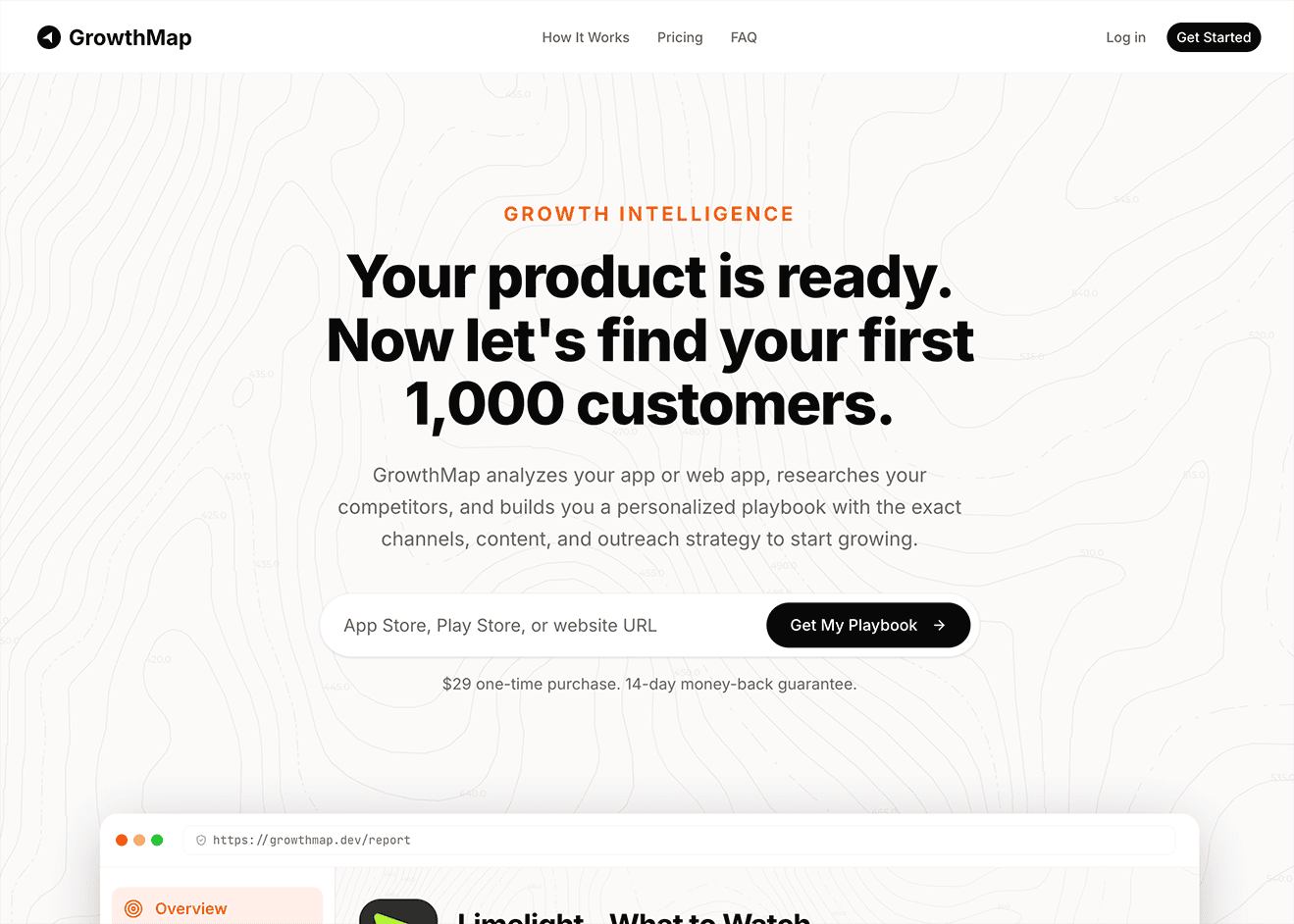
Get a personalized growth playbook built on real competitor data, live SEO metrics, and actual outreach targets. 14 sections. $29 one-time.
What do the strategy and action sections deliver?
Sections 6 through 10 are where the report shifts from describing your market to telling you what to do about it. The quality of these sections depends heavily on the data collected in the first five.
Quick Wins is a short list of high-impact actions you can take in under 30 minutes each. These are meant to be immediately actionable without any additional research or setup. The suggestions are specific to your product type and competitive position rather than generic best practices, which makes them more useful than a standard "optimize your App Store listing" checklist. That said, you will occasionally see a quick win that you already completed months ago, particularly if you have been building for a while.
Channel Strategy ranks your growth channels as primary, secondary, or experimental, with a recommended budget allocation percentage for each and an honest assessment of the cost and expected return. This section is grounded in your product type (mobile app, SaaS, or both) and what the competitive analysis reveals about how your category acquires users. An iOS productivity app and a B2B SaaS tool are going to get materially different channel recommendations, not just because of category convention, but because the pipeline has looked at where your actual competitors are playing.
Social Media Strategy assigns a verdict to each relevant platform: Start Here, Add Next, or Skip for Now. Each verdict comes with a time investment estimate and a content strategy overview. This section is particularly useful for founders who are trying to figure out which platforms to prioritize rather than trying to be everywhere at once. The Skip for Now verdicts are often the most valuable output here. Knowing what not to do is genuinely useful.
45-Day Action Plan is a six-week sprint with weekly themes, specific weekly actions, time estimates per action, difficulty ratings, and draft content for actions that require writing. The draft content is rough by design, closer to a starting point than a finished piece, but having something to react to is faster than starting from a blank page. The plan is sequenced so that earlier weeks build the foundation for later ones: research and positioning work comes before outreach, outreach comes before content scaling. The weekly structure is fairly prescriptive. Treat it as a recommended sequence rather than a rigid schedule, because the right cadence for your specific situation will vary.
Outreach Opportunities is the section that consistently surprises people who were not expecting it. The pipeline runs live searches via Brave Search and PodcastIndex to find actual newsletters, podcasts, blogs, communities, and YouTube channels in your category. These are not suggestions from a language model's training data. They are results from searches that ran minutes before the report was delivered. For each target, the report includes a personalized pitch email written for that specific outlet, your product, and the audience overlap. The pitch emails are written to be sent, not to be workshopped indefinitely. I'd recommend editing them before you hit send, but the core argument and personalization are already there, which eliminates the hardest part of outreach for most founders.
What about the template sections?
Sections 11 through 14 are more template-like than the sections before them. I want to be direct about this.
Content Templates provides ready-to-post content for each relevant platform, with notes on strategy and common mistakes to avoid per platform. The content is customized to your product, but the format is inherently template-driven. A careful ChatGPT prompt with your product details as input would produce something comparable. The value here is that you have content ready to use rather than needing to create it yourself, not that the output is fundamentally different from what a well-structured prompt would generate.
Launch Day Playbook is exactly what it sounds like: a pre-launch checklist, an hour-by-hour timeline for launch day, and a post-launch follow-up sequence. This section is most useful if you have not run a product launch before. If you have, you probably already know most of what it contains. It is thorough and practically organized, and the hour-by-hour timeline in particular is something that is genuinely easier to have than to create from scratch. But it is a framework that you will need to adapt to your specific context, not a plan that can be executed without modification.
Metrics to Track identifies the key metrics for your product type with suggested targets and pivot thresholds: the number at which you should reconsider a strategy if it is not improving. The targets are calibrated to stage (pre-1,000 customers) and product type rather than being generic industry benchmarks. The pivot thresholds are the most useful part of this section, because they remove the ambiguity from the question of when to keep going versus when to change course.
Copy Suggestions provides data-backed copy for your App Store subtitle, meta description, social media bio, elevator pitch, and a few other high-leverage text assets. The suggestions include reasoning: why a particular phrase or framing is supported by the competitive analysis or audience profile. This is one of those sections where the quality scales with the quality of the data that fed into the report. If the competitive analysis found clear positioning gaps, the copy suggestions tend to reflect that with something specific. If the competitive landscape was sparse, the copy suggestions will be less differentiated.
What are the honest limits?
The report is a one-time snapshot. It captures what is true about your market on the day you generate it. Competitor pricing changes. New newsletters launch. SEO keyword rankings shift. Three months from now, parts of the report will be outdated. GrowthMap is not a subscription service that updates automatically. If you are building in a fast-moving category where the competitive landscape changes frequently, the report's shelf life is shorter.
The quality of the competitive analysis depends on how much public data exists about your competitors. For a mobile app category with dozens of established products on the App Store, the pipeline has a lot to work with. For a highly niche B2B tool where most competitors have sparse web presence or no public reviews, the analysis is less rich. This is an inherent limitation of any data collection approach: it can only analyze what is publicly available.
The audience profile is not a substitute for talking to your customers. The report tells you what the market looks like from the outside, inferred from competitor behavior, reviews, and SEO data. Your actual customers tell you what it looks like from the inside: why they chose you, what almost made them not buy, what they wish was different. You need both. The report gives you a starting framework for customer conversations, not a reason to skip them.
Some of the outreach targets will be a better fit than others. The pipeline uses search and filtering logic to surface relevant results, but it cannot assess every nuance of editorial fit between a newsletter and your product. You will find targets in the Outreach Opportunities section that are a strong match and a few that are peripheral. Treat the list as a prioritized starting point, not as a fully curated shortlist that requires no further judgment on your part.
Who should buy this, and who probably shouldn't?
If you have a live product and have not done systematic competitive research or outreach mapping, GrowthMap compresses days of manual work into about 15 minutes. Reading and synthesizing competitor reviews, pulling SEO data, building an outreach list, and writing personalized pitch emails are each meaningful time investments. The report does all of it in a single pipeline run. For a founder at the stage of "I need to find my first customers and I don't know where to start," the report is a dense starting point.
If you have already done thorough competitive research, built an outreach list, and have a clear SEO strategy, you have probably already covered most of what the report produces. The incremental value is lower, and I'd rather you know that than buy the report and feel like you already knew everything in it.
The report is also less useful if your product is in a category with almost no established competitors, or if your competitors have almost no public presence. The pipeline is built to analyze data that exists publicly. If the data is sparse, the analysis reflects that.
The best GrowthMap customer is a solo founder or small team who has built something real and is now staring at the "how do I find customers" problem without a clear answer. The report does not solve that problem for you, but it gives you a map with the terrain filled in: where your competitors are weak, which channels are worth your limited time, which specific newsletters and podcasts to pitch this week, and what your SEO opportunities look like before you have invested significant effort in the wrong direction.
If that is where you are, the report is at growthmap.dev/analyze. And if you are still thinking through whether paid acquisition or organic growth is the right first bet for an indie product, the context in getting your first 100 customers as an indie developer is worth reading alongside it.
Frequently Asked Questions
Is GrowthMap just a ChatGPT wrapper?
No. The AI synthesis is built on top of real data collected at purchase time: actual App Store and Google Play competitor reviews, live SEO metrics from DataForSEO, and newsletters and podcasts found through live Brave Search and PodcastIndex queries. ChatGPT has no access to any of this at runtime. The difference is not the AI. It is the data the AI analyzes.
Which sections of a GrowthMap report are most valuable?
Competitive analysis, outreach opportunities, and SEO intelligence are the strongest sections because they are built on live data that no language model can produce from a prompt. The 45-day action plan and channel strategy are strong because they are personalized to your specific product type, stage, and competitive position rather than being generic frameworks.
What are the honest limits of a GrowthMap report?
It is a one-time snapshot. It does not track changes over time. The quality of the competitive analysis depends on how many competitors have public App Store or web presence. For very niche products with no clear competitors, the report has less to work with. It does not replace talking to customers: it is market intelligence, not customer research.
How long does a GrowthMap report take to generate?
About 15 minutes from URL submission to a complete 14-section report. The pipeline runs competitor scraping, SEO analysis, and outreach searches in parallel. The result arrives as a structured report accessible in your account.
Who gets the most value from a GrowthMap report?
Founders who have a live product but have not done systematic competitive research or outreach mapping. The report does in 15 minutes what manual competitive analysis and newsletter research takes days to do. If you have already done thorough competitive analysis and built an outreach list, the report's value is lower. You have probably already covered what it produces.