The Indie Developer's Guide to App Store Optimization in 2026
A practical guide to the five App Store Optimization levers that actually move the needle, with a worked example from Limelight's own listing, free tools for each lever, and a 10-item checklist.
 Jordan Kennedy13 min read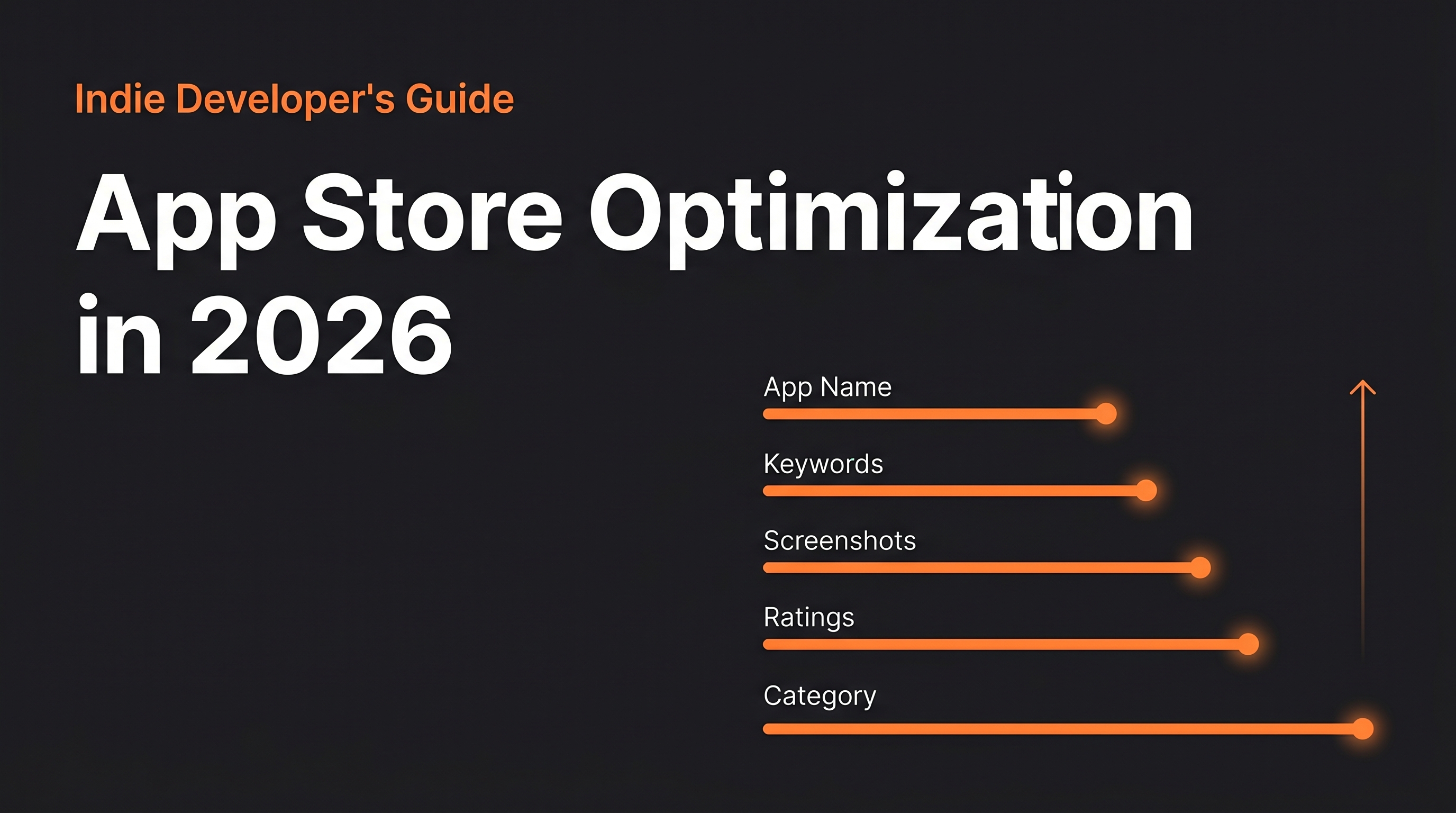
Key Takeaways
- Most indie developers set their App Store metadata once and never touch it again. This is the equivalent of writing a landing page in 2019 and leaving it unchanged while your competitors iterate monthly.
- The five ASO levers are not equal. Keywords in your app name carry three to five times the weight of keywords in your keywords field. Most developers get this exactly backwards, burying their strongest terms in the hidden field.
- Screenshots are the highest-leverage conversion element in the App Store listing. They decide whether someone who has already found your app clicks Install. They get less attention from indie developers than any other element.
- Ratings are a ranking signal as well as a conversion signal. An app with 4.6 stars and 200 ratings will outrank an equivalent app with 4.8 stars and 12 ratings in most searches.
- Category selection is often the cheapest ASO unlock available. Moving from a saturated primary category to a more specific secondary category can improve rankings overnight without changing a word of your listing.
Most indie developers treat App Store Optimization as a one-time setup task. They write an app name, pick some keywords, upload a few screenshots they made in a hurry, and ship. Then they wonder why organic discovery flatlines after the initial spike.
I did exactly this with Limelight. I launched with a generic title, a subtitle that described features rather than benefits, and screenshots that looked like they were designed by someone who wanted to show what the UI looked like rather than someone who wanted to make a person click Install. Organic downloads were mediocre and completely stagnant. I kept adding features and assuming discovery would improve naturally. It didn't.
When I eventually sat down and treated ASO as an actual ongoing discipline, rather than a launch checklist item, organic installs roughly doubled over the following 90 days without a single new feature or any paid spend. That is what a single focused ASO sprint looks like when you've been ignoring it.
This guide covers the five levers that move the needle, how I applied them to Limelight's own listing with real results, a free tool for each lever, and a 10-item checklist at the end so you can audit your own listing in under an hour.
Why do most indie developers get ASO wrong?
The core problem is a mismatch between how developers think about their app listing and how users actually interact with it.
Developers think about the listing as documentation. Here's what the app is, here are the features, here's what it costs. This is technically correct and completely misses the point. A user browsing the App Store is not reading documentation. They're scanning for signals that tell them: does this solve my problem? Can I trust it? Is it worth the time to try?
The App Store listing is a conversion surface, not a product description. Every element of it, from the app name to the order of the screenshots, is either helping or hurting that conversion. Most indie developers optimize none of it because they're focused on building, which is understandable and expensive.
The other problem is that ASO is invisible. Unlike a paid UA campaign that costs you money and produces measurable results immediately, bad ASO is silent. You don't get an error message that says "your subtitle contains no high-volume keywords." You just get flat organic downloads and no clear explanation for why.
Lever 1: App name and subtitle
The app name is the single most weighted keyword field in the Apple algorithm. Keywords that appear in your app name rank significantly higher than the same keywords in your dedicated keywords field: roughly three to five times higher, based on the competitive analyses I've run across my apps.
This is the lever most developers get backwards. They put their brand name in the app name and leave it there, then stuff high-volume keywords into the keywords field where they carry less weight. The better approach is to include one or two high-value keywords in the app name itself, alongside your brand name.
The format that works: Brand Name: Primary Keyword + Secondary Keyword. Thirty characters is the practical limit for visibility, which means you have room for the brand name and two to four descriptive words.
The subtitle (30 characters) should include keywords that do not appear in the app name. Repeating keywords wastes space. Apple indexes the name and subtitle fields separately, which means every character should be carrying unique keyword weight.
Limelight before: "Limelight" (just the name, no keywords)
Limelight after: "Limelight: Movie & TV Tracker" with subtitle "Watchlist, Ratings & Streaming"
This single change, adding "Movie & TV Tracker" to the name and replacing a generic subtitle with a keyword-rich one, produced measurable ranking improvements for "movie tracker," "tv show tracker," and "watchlist app" within three weeks of the update going live.
Free tool: AppFollow has a free tier that shows keyword volume estimates and lets you check what keywords competitors are ranking for. Use it to identify the highest-volume terms your direct competitors have in their app names, then decide which you can legitimately include in yours.
Lever 2: Keywords field
The keywords field is 100 characters (Apple) of comma-separated terms that are invisible to users and indexed by the algorithm. They carry less weight than the app name but still matter, especially for long-tail queries with lower competition.
A few mechanics most developers get wrong:
No spaces after commas. Apple counts spaces as characters. "tracker,watchlist,movies" uses your 100 characters efficiently. "tracker, watchlist, movies" wastes three characters you need.
Never repeat words from your name or subtitle. If "tracker" is already in your app name, it doesn't need to be in the keywords field. Apple already indexes it from the name field. Repeating it wastes characters that could be used for a different keyword.
Think in phrases, not single words. "movietracker" ranks for "movie tracker" searches. But a single-word entry like "movies" competes with every movie app in the store. Long-tail two-word combinations like "streamingguide" or "watchlistapp" reach users with more specific intent and face less competition.
Use competitor name combinations carefully. Apple permits keyword fields to include competitor-adjacent terms in some cases (it's a gray area), but the higher-percentage play is to target the keywords your competitors rank for rather than their brand names directly.
Free tool: Your competitors' App Store listings are free research. Look at their names, subtitles, and descriptions. The keywords embedded in those fields, especially from competitors with high download volumes, tell you what terms the algorithm has validated in your category. Supplement this with AppFollow's free keyword explorer.
Lever 3: Screenshots
Screenshots are where most indie developers leave the most conversion on the table, and it's the lever that produces the fastest results because changes take effect the moment the update goes live.
The mechanics are simple: the first three screenshots are visible in search results without tapping. They're the difference between someone tapping your listing and someone scrolling past to the next result. Three screenshots are doing the job of a billboard. Design them accordingly.
What works:
- Show the core value proposition in the first screenshot, not a home screen or an onboarding graphic. If your app helps people track what they want to watch, the first screenshot should show a watchlist. Not a login screen. Not a welcome illustration.
- Add text overlays that explain what's being shown. A screenshot without text puts the cognitive burden on the viewer to figure out what they're looking at. A screenshot with a single clear headline ("Your complete watchlist, across every streaming service") does the work for them.
- Sequence the screenshots to tell a story. First screenshot: the thing they came for. Second: the second most compelling feature. Third: social proof or a differentiator. After that, detail for people who are already interested.
- Portrait screenshots outperform landscape for most apps, because they fill more of the screen in search results.
GrowthMap
Ready to stop guessing
and start growing?
Get a personalized growth playbook built on real competitor data, live SEO metrics, and actual outreach targets. 14 sections. $29 one-time.
Limelight's specific change: The original screenshots showed the UI with no text overlays, starting with a browse screen. I replaced them with three portrait screenshots: (1) a populated watchlist with the headline "Everything you want to watch, in one place," (2) the discovery feed with "Find what's worth watching tonight," and (3) a streaming service breakdown with "See exactly where to watch it." Impression-to-install conversion went from 2.1 percent to 3.4 percent after this change, which is more than a 60 percent improvement without changing a single line of code.
Free tool: Figma (free, web-based) is the best tool for designing App Store screenshots. It's faster than Photoshop, exports clean PNGs at the right resolution, and has community templates specifically for App Store screenshot design that give you a starting point. Search "App Store screenshots template" in the Figma community.
Lever 4: Ratings and reviews
Ratings affect both conversion and rankings. An app with a 4.6-star average and 200 ratings will outrank an equivalent app with 4.8 stars and 12 ratings in competitive searches, because the algorithm weights volume as well as quality. And from a conversion standpoint, 200 ratings provides enough social proof to reduce uncertainty for new users in a way that 12 ratings simply doesn't.
The main levers here are the prompt timing and the prompt frequency.
Timing is everything. The native SKStoreReviewRequest prompt (the official Apple API) should fire at a moment of clear user success, not on first open or after an arbitrary session count. For Limelight, I trigger the prompt after a user adds their fifth item to their watchlist. That's the moment when the app has delivered value clearly enough that a positive response is the natural reaction. Before that point, the user is still evaluating, and prompting them mid-evaluation either gets a dismissal or, worse, a frustrated one-star rating from someone who hadn't figured out the product yet.
Once per version is Apple's limit. The SKStoreReviewRequest API will only show the system prompt to a given user three times per year, and Apple controls whether it actually appears even when you call it. This means you get very few shots, and timing them well matters.
Respond to negative reviews. App Store reviews where the developer has responded publicly perform better on conversion than reviews with no response, because the response demonstrates that someone is behind the product and paying attention. A calm, helpful response to a one-star review often does more for new users' confidence than five unprompted five-star ratings.
Free tool: App Store Connect provides a review management dashboard that's free, and it now supports responding to reviews directly from the browser. Set a reminder to check and respond to new reviews at least once a week. That cadence is enough to stay on top of the queue without letting it become a daily distraction.
Lever 5: Category selection
Category selection is the most consistently overlooked ASO lever, because it feels like a one-time setup decision rather than an optimization variable. But the category determines which set of competitors you're ranked against, and in many cases there's a secondary category that gives your app significantly less competition without materially misrepresenting what it does.
Apple allows a primary and secondary category for most apps. The primary category is the one the App Store uses for browsing and top charts. The secondary category is also indexed and ranked but often has different (and sometimes lower) competition for the same keywords.
The approach worth taking: look at the top 25 apps in your current primary category. If your app is competing against apps with hundreds of thousands of ratings for the same search terms, consider whether a more specific secondary category would expose you to a ranking environment where your 100-rating app can actually appear on the first page.
For Limelight, the primary category is Entertainment. The secondary category I added was Utilities. "Movie tracker" and "watchlist" searches produce different result sets across the two categories, and Limelight ranks better in the Utilities category searches than in Entertainment, simply because there are fewer apps competing directly for those terms in Utilities.
Free tool: The App Store itself. Manually search your top five target keywords, look at which categories the top 10 results are listed under, and see if there's a pattern. If your competitors are all in one category, you might do better by being the top app in a less crowded adjacent one.
Worked example: Limelight's ASO before and after
Here's a summary of what I changed in Limelight's App Store listing over a focused two-week sprint, and what happened in the 90 days afterward:
| Element | Before | After |
|---|---|---|
| App name | "Limelight" | "Limelight: Movie & TV Tracker" |
| Subtitle | "Discover What to Watch" | "Watchlist, Ratings & Streaming" |
| Keywords field | Generic entertainment terms with spaces after commas and repeated words | 100 chars of unique two-word long-tail terms, no spaces, no repeats |
| Screenshot 1 | UI browse screen, no text | "Everything you want to watch, in one place" with watchlist screenshot |
| Screenshot 2 | Feature list | Discovery feed with "Find what's worth watching tonight" |
| Screenshot 3 | Onboarding graphic | Streaming service map with text overlay |
| Rating prompt | Triggered on third app open | Triggered after fifth item added to watchlist |
| Secondary category | None | Utilities |
The results over 90 days: search impressions roughly doubled, driven primarily by the name change unlocking ranking for "movie tracker" and "tv show tracker." Impression-to-install conversion improved from 2.1 percent to 3.4 percent after the screenshot update. Review velocity increased noticeably after the rating prompt timing change, and the average rating held at 4.6 stars through the volume increase.
None of these were code changes. All of them were metadata and creative decisions that took about two focused days to research, design, and ship.
The 10-item ASO checklist
Run through this on your own listing. Most apps will have at least four or five items that need work.
- Your app name includes your primary keyword, not just your brand name.
- Your subtitle includes secondary keywords that are not repeated in the app name.
- Your keywords field has no spaces after commas (every character counts).
- Your keywords field has no words already in your app name or subtitle.
- Your first screenshot shows the core value proposition within three seconds, without needing to read anything.
- Your screenshots have text overlays that explain what's being shown.
- If you use a preview video, it opens with the most compelling moment, not a logo or loading screen.
- Your rating prompt triggers at a clear moment of user success, not on app open or after a fixed number of sessions.
- You have responded to every negative review from the last 60 days.
- You have checked your ranking for your top five target keywords in the last 30 days and know whether they've moved.
If you're clean on all 10, you're in better shape than roughly 80 percent of the indie apps in the App Store. If you have four or more items unchecked, start with the app name (lever 1) and screenshots (lever 3). Those two changes will produce results faster than any of the others.
The deeper research layer, figuring out which keywords you should actually be targeting and what your competitors are ranking for that you aren't, is the part that takes the most time to do manually. It's also exactly what GrowthMap is built to surface: competitive keyword gaps, positioning opportunities, and the outreach channels that will bring users who can leave the reviews that improve your rankings. If you've cleaned up your listing and you're ready to push organic installs further, that's the next lever.
For the pre-launch version of this problem, the first 100 customers guide covers how to drive your earliest customers before organic discovery kicks in.
Frequently Asked Questions
Does App Store Optimization still work in 2026?
Yes. Organic search is still how most users discover apps outside of the top 10 in each category. The App Store processes billions of searches per month, and keyword optimization, well-chosen screenshots, and review velocity all still influence both rankings and conversion. The mechanics have changed at the margins over the years, but the core levers are stable.
What is the most important ASO element?
App name, by a significant margin. Keywords included in the app name carry the most search weight of any metadata field. Your second-most important element is screenshots, because they determine conversion once someone finds your app. Most ASO guides emphasize keywords at the expense of screenshots, which is backwards if you already have reasonable keyword coverage.
How long does it take to see results from ASO changes?
Keyword ranking changes typically take two to four weeks to stabilize after a metadata update. Screenshot changes affect conversion immediately since they're visible the moment the update goes live. Rating prompt timing changes take 60 to 90 days to produce meaningful rating volume changes, so patience is required there.
What are the best free ASO tools for indie developers?
AppFollow has a free tier with keyword volume estimates and competitor keyword analysis. Sensor Tower provides limited free keyword data. AppTweak offers a free trial. For screenshots, Figma is free and the most capable design tool available. App Store Connect itself, which is free, provides impression, browse, and conversion data that most developers underuse.
Should you optimize for the App Store or Google Play first?
Wherever your users are. If your app is iOS-only, App Store optimization is the only game in town. If you're on both platforms, App Store first, since the keyword field mechanics differ meaningfully between Apple and Google, and the two platform algorithms require separate keyword strategies. Don't try to optimize both simultaneously with the same keyword list.
How do you get more App Store ratings without being annoying?
Trigger the native rating prompt at a moment of clear user success, not on first open or after a random number of sessions. For a to-do app, the right moment is after completing a task. For a streaming tracker, after logging a watched episode. The prompt should feel like a natural pause, not an interruption. Never trigger it during a core interaction or on app launch.